 Login
Login


 Products


 Go Back to blog listing page
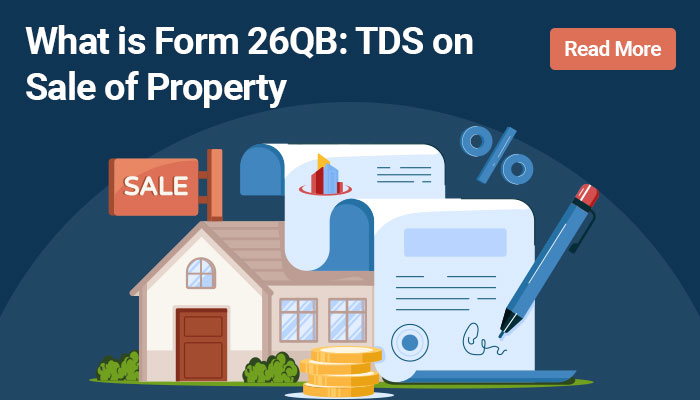
Form 26QB & TDS on Property Sale: Complete Guide for Buyers



Buying a property comes with its share of financial and legal formalities, and Tax Deducted at Source (TDS) is one you cannot skip. If you are purchasing immovable property from a resident seller and the transaction crosses the prescribed threshold, you are required to deduct TDS and deposit it with the government.
Under the Income-tax Act, 1961, property buyers used Form 26QB to report and pay TDS under Section 194-IA. That still holds for any transaction where the payment or credit happened on or before 31 March 2026. From 1 April 2026, the new Income-tax Act, 2025 replaces Form 26QB with Form 141, with Schedule B covering TDS on the transfer of immovable property.
Here is what buyers need to know about Form 26QB filing, TDS on property sale and TDS on property purchase, from payment to compliance.
What is Form 26QB?
Form 26QB is an online challan-cum-statement that a buyer uses to report and deposit TDS on the purchase of immovable property from a resident seller. Under the earlier Section 194-IA, TDS generally kicked in once the sale consideration or stamp duty value crossed ₹50 lakh.
The responsibility to deduct and deposit the TDS sits with the buyer, not the seller. Deduction happens at the time of payment or credit to the seller, whichever comes first.
You will need a valid PAN of the seller to file Form 26QB, but you do not need a TAN, since this is a PAN-based filing.
One more thing worth flagging: Form 26QB applies only where the seller is a resident. If the seller is a non-resident, different TDS provisions and forms come into play.
Essential Elements of TDS Form 26QB Filing
Before you start filing, keep the following ready:
-
PAN of the buyer and seller
-
Name, address and contact details of the seller
-
Residential status of the seller
-
Property address and type of property
-
Date of the property agreement
-
Sale consideration and payment details
-
Applicable TDS amount
-
Stamp duty value details, wherever applicable
Double-check the PAN details before you submit. An incorrect PAN can create tax-credit mismatches and compliance headaches later.
If a transaction involves more than one buyer or seller, you may need to file separate Form 26QB submissions. It is worth confirming the exact filing requirement for your transaction before you make the payment.
Also Read: Home Loan Tax Benefits Explained
How to File Form 26QB?
Form 26QB payment process runs entirely online through the Income Tax e-Filing portal.
Step 1: Log in to the Income Tax e-Filing portal
Visit the official portal and log in using your PAN-based credentials.
Step 2: Go to e-Pay Tax
Select e-File, then e-Pay Tax, then New Payment. For transactions under the Income-tax Act, 1961, pick the 26QB (TDS on Sale of Property) option.
Step 3: Enter seller details
Fill in the seller's PAN, name, residential status, address and contact details. Confirm the PAN is valid before moving on.
Step 4: Enter property details
Add the property type and address, the agreement date and the relevant payment or transaction details.
Step 5: Enter TDS details
Enter the sale consideration and the TDS amount. Under Section 194-IA, the applicable rate for a qualifying transaction with a resident seller is generally 1%.
Step 6: Generate the challan and pay
Review everything, generate the challan, choose a payment method and complete the property TDS payment.
Step 7: Save the acknowledgement
Once the payment goes through, download and keep the challan receipt. You can also pull it up later from the Payment History section of the e-Pay Tax service.
Also read: How To declare Home Loan in Income Tax: A Step-By-Step Guide
What changed from 1 April 2026?
For any payment or credit made on or after 1 April 2026, use Form 141 instead of Form 26QB. Form 141 is the unified challan-cum-statement under the Income-tax Act, 2025, and for property transactions, you will select Schedule B, TDS on transfer of immovable property.
List of Authorised Banks for TDS Payment
The Income Tax Department's e-Pay Tax facility lets you pay through a set of authorised banks. As things stand, the list includes:
Axis Bank, Bandhan Bank, Bank of Baroda, Bank of India, Bank of Maharashtra, Canara Bank, Central Bank of India, City Union Bank, DCB Bank, Federal Bank, HDFC Bank, ICICI Bank, IDBI Bank, Indian Bank, Indian Overseas Bank, IndusInd Bank, Jammu & Kashmir Bank, Karur Vysya Bank, Kotak Mahindra Bank, Punjab & Sind Bank, Punjab National Bank, RBL Bank, South Indian Bank, State Bank of India, UCO Bank, Union Bank of India, Dhanlaxmi Bank, IDFC First Bank, Karnataka Bank, Reserve Bank of India, Tamilnad Mercantile Bank, Yes Bank and DBS Bank India Limited.
This list can change, so it is worth checking the portal at the time of payment. RTGS/NEFT and other payment gateway options are also available where applicable.
How to Download Form 26QB?
Since Form 26QB filing is done online as a challan-cum-statement, there is no blank form to download beforehand. The whole process runs through the Income Tax e-Filing portal.
Once the payment is successful, you can download the challan receipt right away. If you miss it at the time, it stays accessible through the Payment History section after you log in to the e-Pay Tax service.
Hold on to the acknowledgement and payment receipt along with your other property transaction documents. You may need them for future tax records or compliance checks.
For transactions falling under the new regime from 1 April 2026 onward, the equivalent filing goes through Form 141, and you can access the acknowledgement and payment details the same way, through the e-Filing portal.
Penalties and Compliance
Timely TDS deduction and payment matter a great deal for property buyer tax compliance. Miss a deadline, and you are looking at interest charges and other consequences under the applicable tax provisions.
Under the earlier framework, interest applied at 1% per month or part of a month for a delay in deduction, and 1.5% per month or part of a month for a delay in depositing tax after deduction.
To stay on the right side of this, verify the seller's PAN, calculate the TDS correctly, file the challan-cum-statement within the prescribed timeline and keep the payment acknowledgement safe.
Wrapping Up
Getting TDS on property sale right is a core part of closing a property purchase properly. For transactions under the Income-tax Act, 1961, Form 26QB was the prescribed route for reporting and depositing TDS under Section 194-IA.
That changes from 1 April 2026 onward, when Form 141 takes over from Form 26QB under the Income-tax Act, 2025, with Schedule B covering TDS on the transfer of immovable property.
Whether you are working through an older Form 26QB filing or the newer Form 141 process, getting the PAN details right, paying on time and keeping your documentation in order will go a long way toward smooth compliance with real estate tax rules. If you are also exploring home loan options for your property purchase, IIFL Home Loans offers home financing solutions for eligible borrowers, subject to applicable terms and eligibility criteria.
Tags

Most Read Blogs




Frequently Asked Questions (FAQ’s)
Can we submit Form 26QB online?
Ans:
The online statement/challan form 26QB is used to pay TDS to the government. When purchasing a property, the buyer must complete this form and pay the TDS within the allotted time.
Who can file the Form 26QB?
Ans:
The buyer has thirty days from the end of the month in which TDS was deducted to deposit TDS and file Form 26QB. If the transaction involves more than one buyer or seller, the deductor must submit more than one Form 26QB.
What distinguishes Form 26QB from Form 16B?
Ans:
A return cum challan, or Form 26QB, is used to pay TDS to the Indian government. A TDS certificate, Form 16B, is given to the seller to deduct TDS from the buyer.
Is Form 26QB mandatory?
Ans:
Yes. Buyers purchasing immovable property from a resident seller above the prescribed threshold must file Form 26QB and deposit TDS
Is TDS refundable when selling real estate?
Ans:
If the amount deducted exceeds the actual tax burden, the seller can receive a refund of TDS. The seller needs to submit an income tax return to receive the refund.
What can we help you with?

Home Loan

Secured Business Loan

Balance Transfer

Home Improvement Loan

Home Loan for Uniformed Services

NRI Home Loan
Home Loan
Secured Business Loan
Balance Transfer
Home Improvement Loan
Home Loan for Uniformed Services
Get instant support with existing loan related queries

Raise a Request Get instant access to your existing Loan Account with us Raise a Ticket 

Call Helpline Speak with our Customer Support Executive on 1860 267 4999

Visit Nearby Branch You can walk into any of our 300+ branches, spanning across 18 states Get Directions
Our Brands & Subsidiaries


Insurance Partners


HDFC Life Insurance Learn more
Bajaj Life Insurance Learn more
ICICI Prudential Life Insurance Learn more
Go Digit General Insurance Learn more
Aditya Birla Capital Insurance Learn more
Bajaj General Insurance Learn more


